





3.8
Free
Skype
A free and simple communication app

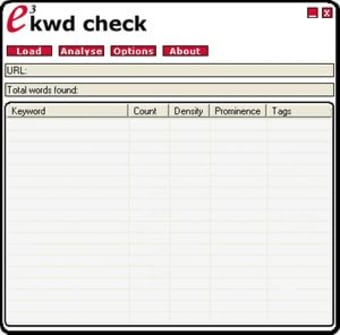
e3KWD Check is a lightweight, fast and free SEO (search engine optimisation) tool for analyzing keyword density within web and text documents.
It has been written for all Windows platforms. This tool allows you to run real time keyword density analysis tasks upon your local copy while writing or editing.
If you have an active internet connection it will also retrieve and analyse online web documents using the built-in address bar. Other key benefits are the ease of use and the small size of the interface.
Free
3.0
Windows
Windows 98
English
940
919.98 KB
Have you tried e3KWD Check? Be the first to leave your opinion!
Add review
LockJar gives you total control over the Internet browser cookies
Analyse your site's traffic with this free monitoring tool
Create background images for Google AdSense
Complete IE favorites manager
Selectively controls Web cookies in real-time based on user preferences
Analyse log files from web servers
Analyze Your Website's Popularity Effectively
Turn your computer in to a web server, mail server, FTP server, etc

OverSite by MollieSoft Review

Lets you sync bookmarks across multiple computers
Great remote control software for your PC

Plug-in for IE for unrivaled levels of HTTP monitoring